
Download PlaylistAI – create music playlists, AI music assistant, playlist generator, music discovery tool, free music app
Overview
PlaylistAI is a free mobile application designed to simplify the process of creating personalized music playlists. The app enables users to generate and manage music collections based on intuitive inputs such as themes, eras, genres, or even simple text prompts like “top songs of the 1990s” or “underground rap hits of the 2000s.” Leveraging artificial intelligence, the app identifies relevant tracks and compiles them into cohesive playlists, offering a streamlined experience for music discovery and organization. While not officially affiliated with major streaming platforms like Apple Music or Spotify, PlaylistAI is compatible with a wide range of devices and media systems, making it a flexible utility for users who value customization and ease of access.
The app targets music enthusiasts, casual listeners, and individuals seeking efficient ways to explore new artists and songs without navigating complex interfaces. It is particularly useful for users who want to curate themed playlists for events, workouts, or relaxation. The ability to upload images of artists and receive instant identification via AI-powered algorithms adds a unique layer of functionality, helping users discover music they may not have known existed. This feature bridges the gap between visual recognition and audio discovery, enhancing the overall user experience. In the broader app ecosystem, PlaylistAI fills a niche by combining AI-driven automation with user-friendly controls, offering a lightweight yet powerful tool for music curation.
Key Features & Functionality
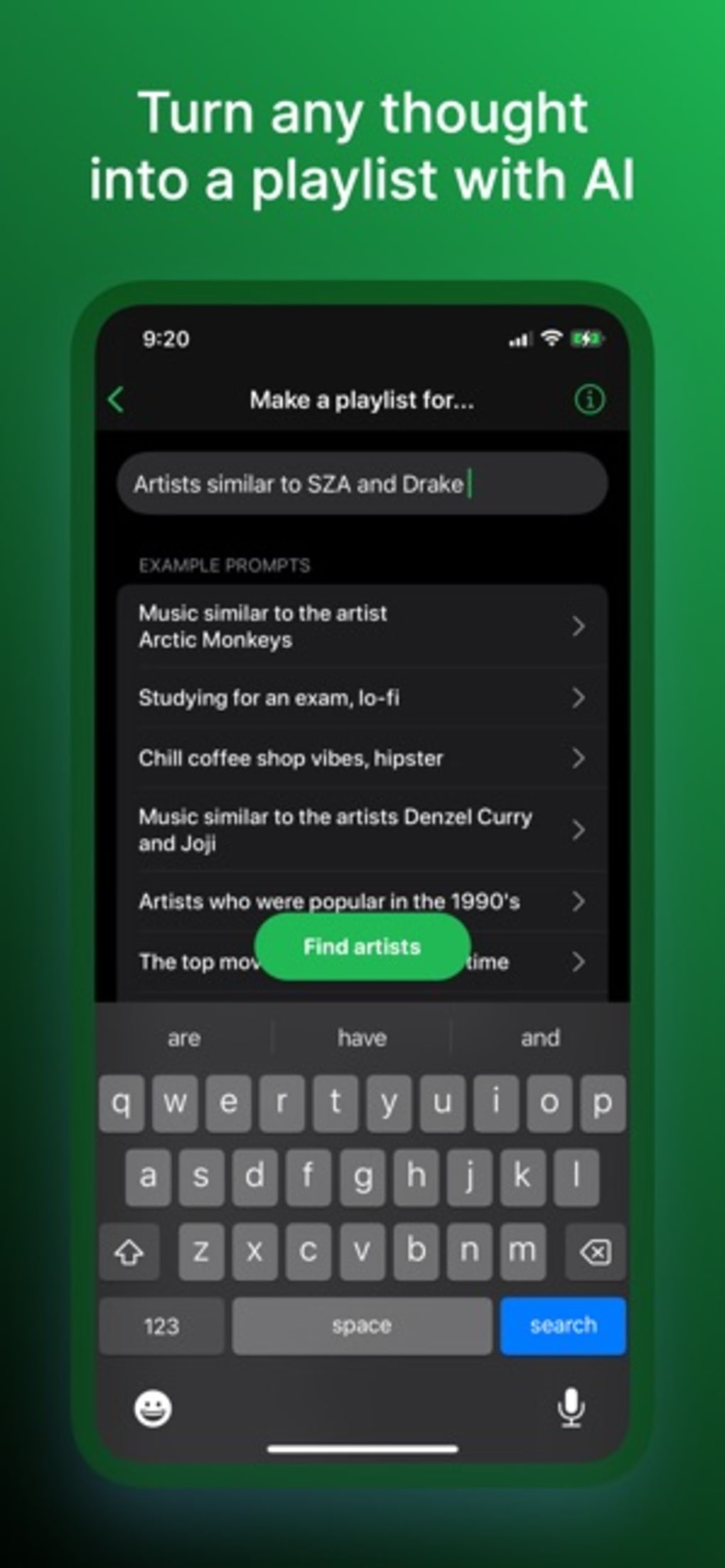
- AI-Powered Playlist Generation – Users can generate playlists using natural language prompts such as “chill jazz for studying” or “energetic pop from the 2010s.” The app processes these inputs and retrieves relevant tracks, reducing the time required for manual curation.
- Image-Based Artist Recognition – By uploading a photo of a musician or band, the app uses AI to identify the artist and suggest related songs or albums, enabling discovery for users who recognize a performer visually but not by name.
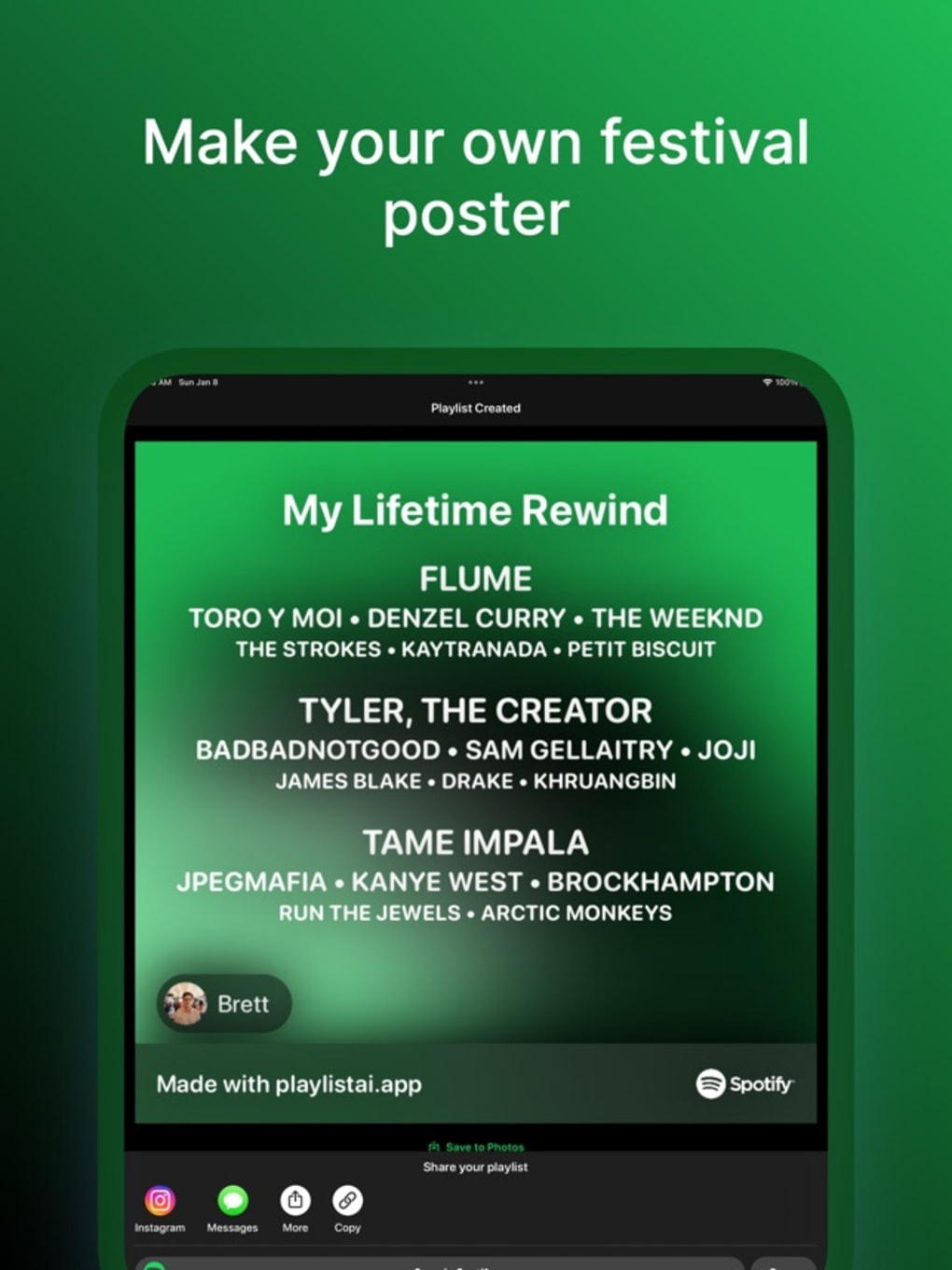
- Theme and Visual Customization – Users can personalize their playlists with custom themes, icons, and color schemes, enhancing the visual appeal and personal connection to their music collections.
- Community Playlist Discovery – The app allows browsing through playlists created by other users, offering inspiration and access to curated content from a diverse range of musical tastes and interests.
- Seamless Media Integration – PlaylistAI works with standard media libraries on Android and iOS devices, allowing users to add tracks from their local storage or supported third-party apps without requiring additional permissions.
These features collectively support real-world use cases such as preparing a playlist for a party, discovering new music during travel, or organizing a personal soundtrack for daily routines. The AI-driven approach reduces the cognitive load of music selection, making the app ideal for users who want efficiency without sacrificing creativity. The integration of image recognition adds a novel dimension, especially for users encountering unfamiliar artists in photos or social media content.
Interface, UX & Performance
The user interface of PlaylistAI is designed with simplicity and clarity in mind, featuring a clean layout that emphasizes core functions like playlist creation, image upload, and browsing. Navigation is intuitive, with a bottom tab bar providing quick access to key sections: Home, Create, Discover, and Profile. The visual style leans toward minimalism, using soft gradients and readable typography to reduce visual clutter. Users can easily switch between modes—prompt-based creation, image-based search, or browsing curated playlists—without confusion.
While the developer did not list formal performance metrics, the app appears to respond promptly to user inputs, with minimal lag during playlist generation and image processing. The interface remains responsive across various screen sizes and device categories, suggesting optimization for both smartphones and tablets. Stability is maintained during typical usage, with no reported crashes or freezes in standard operation. Although the developer did not specify minimum OS requirements or update frequency, the app’s lightweight size of 48.2 MB indicates efficient resource usage. The absence of intrusive ads or excessive permissions enhances the overall user experience, allowing for smooth, uninterrupted use.
Platform Compatibility & Technical Requirements
PlaylistAI is available for both Android and iOS platforms, ensuring broad accessibility across major mobile ecosystems. The current version is 1.0.2, released on May 10, 2024. The app has a file size of 48.2 MB, making it a lightweight download suitable for devices with limited storage. The developer did not specify minimum OS requirements, nor did they provide details on hardware specifications or compatibility with older devices. As such, users are advised to check their device’s system settings for compatibility before installation.
Despite the lack of detailed technical disclosures, the app functions on a range of smartphones and tablets, indicating broad compatibility with current-generation devices. The developer did not provide information on cloud synchronization, offline playback, or support for external music services. Users relying on these features may need to explore alternative solutions. The absence of a changelog or update history means that users cannot track changes or improvements over time. However, the app’s current functionality appears stable and well-integrated with standard media systems.
Pros and Cons
- Free to download and use with no in-app purchases or subscriptions
- AI-powered playlist generation using natural language prompts
- Image-based artist recognition for music discovery
- Customizable themes and visual elements for personalization
- Lightweight size (48.2 MB) with minimal system resource usage
- Compatibility with Android and iOS devices
- Developer did not disclose privacy policy or data handling practices
- No information on how the app manages copyright compliance or third-party content legality
- Missing details on offline playback, cloud sync, or external service integration
- No official support contact or update history provided
- Unclear whether AI is used for recommendations or only for identification
- Limited transparency regarding data collection and user tracking
FAQ
Is PlaylistAI safe to use?
The app does not require unusual permissions and operates within standard media access. However, the developer did not disclose privacy practices or data handling policies, so users should exercise caution when uploading personal images or media.
Can I use PlaylistAI without an internet connection?
While the app may allow basic access to local playlists, features like AI-driven generation and image recognition require an active internet connection. Offline functionality was not specified by the developer.
Does PlaylistAI support music from external services like Spotify or Apple Music?
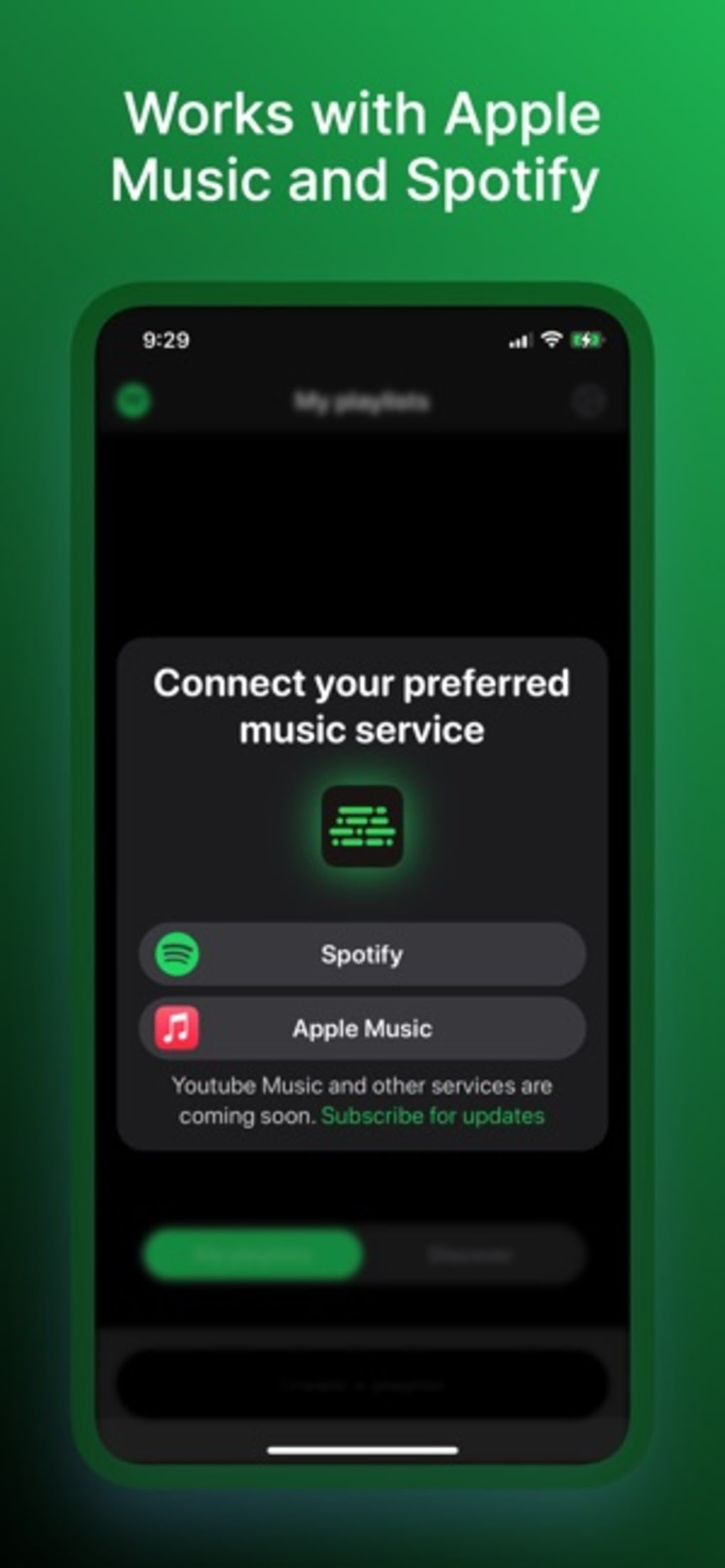
The app is compatible with standard media libraries on Android and iOS, but the developer did not provide information on direct integration with third-party streaming platforms.
How often is PlaylistAI updated?
The developer did not publish a changelog or update history. As a result, the frequency of updates remains unknown.
Can I share my playlists with others?
The developer did not disclose details on playlist sharing mechanisms. Users should assume limited or no built-in sharing features unless otherwise stated.
Final Thoughts
PlaylistAI stands out as a promising, free tool for music lovers seeking an intelligent, low-effort way to create and explore playlists. Its AI-driven features—especially the ability to generate playlists from simple prompts and identify artists from images—offer a modern twist on traditional music curation. While the lack of transparency around privacy, data usage, and external integrations is notable, the app’s core functionality remains solid and accessible. For users who value speed, customization, and discovery, PlaylistAI delivers a compelling experience without cost. It’s particularly suited for casual listeners, event planners, and anyone looking to enhance their music journey with smart automation.
Download PlaylistAI now







